What Cars Have Dog Mode? Every Model With a Pet Climate Setting
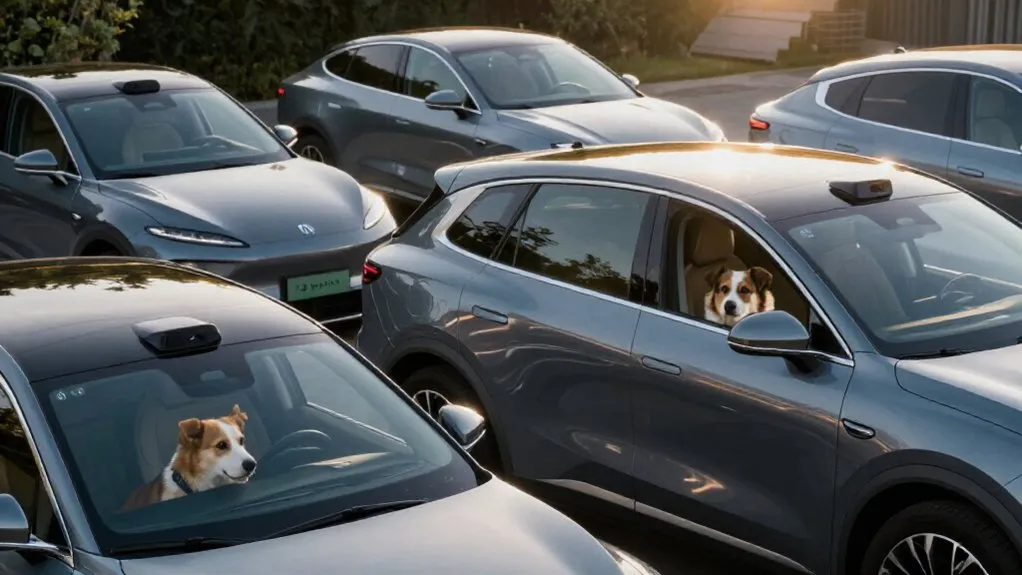
You’ll find dedicated Dog Mode on Tesla’s current Model S, 3, X, and Y, while Rivian R1 vehicles offer Pet Comfort Mode.
Select newer Hyundai EVs and Kia EV9 and EV5 models provide comparable pet-climate settings, depending on market and trim. Ford’s Mustang Mach-E uses Keep Climate On rather than a dedicated pet mode.
You should verify your model year, app controls, battery limits, and display features. Next, see how these systems work in stops.
Tesla Dog Mode Availability
Tesla offers Dog Mode across its current Model S, Model 3, Model X and Model Y lineup, though the exact controls and availability can differ by model year, market and software version. When you activate it before leaving, the locked vehicle keeps the cabin at your chosen temperature and places a reassuring message on the center display for passers-by. The Tesla app lets you check cabin temperature and adjust settings remotely, which gives it an advantage over vehicles without live oversight. Cabin Overheat Protection provides a separate heat-response safeguard, but it doesn’t replace Dog Mode or your supervision.
Before buying, confirm the feature in the specific car you’re considering and review its battery-use guidance. Keep visits short and check on your dog personally.
Rivian Pet Comfort Mode
Rivian’s Pet Comfort Mode gives R1 owners a Tesla-style way to keep the cabin at a comfortable temperature during short stops, such as a quick errand. Like Tesla Dog Mode, it keeps climate control running while you’re away, but Rivian positions it for brief stops rather than extended unattended stays.
| What | What you get |
|---|---|
| Best use | Quick errands |
| Climate | Maintains cabin comfort |
| Current fit | R1 lineup |
| Future upgrade | R2 Pet Cam |
For shoppers, that makes an R1 an alternative if you want an electric vehicle with pet care. Don’t treat it as permission to leave an animal for hours: check the battery, limit your stop, and follow local rules. Rivian says R2 will add Pet Cam, giving you live viewing on the upcoming R2.
Cabin Temperature Display Explained
A cabin temperature display gives passers-by visible reassurance that your pet is safe while the car is parked: it typically shows the current interior temperature, a pet-comfort message, and sometimes your expected return time.
Tesla’s screen pairs a large temperature readout with “My owner will be back soon” messaging. Hyundai and Kia can offer comparable status, but designs, messages, and app support vary by model, trim, and market.
When you compare vehicles, look for an exterior-facing screen that stays readable in sunlight, identifies active climate control, and presents familiar temperature units. It may discourage well-meaning strangers from intervening, yet it doesn’t replace supervision. Check the display before you walk away, confirm it updates accurately, and use the app, where available, to verify conditions remotely.
Pet Mode Battery Thresholds
Before you leave your pet, check the minimum state of charge your vehicle requires, since Pet Mode can shut down automatically at a low-battery limit. Tesla, Hyundai, Kia, and other brands may use different thresholds and send low-battery alerts through the vehicle or app.
Your climate runtime will vary with the weather, set temperature, and battery level, so plan short stops and monitor alerts.
Minimum State Of Charge
Pet Mode relies on the traction battery, so you should check both the vehicle’s starting state of charge and its manufacturer-set shutdown threshold before leaving a dog inside. Tesla generally requires sufficient charge before Dog Mode will engage, and its display and app help you watch energy use. Hyundai, Kia, Volvo, BMW, and other makers may use different entry requirements or warnings, so don’t assume a Tesla-style experience.
Start with more charge than you need for the trip home, especially in intense heat or cold, when climate control consumes more power. Confirm the applicable minimum in your owner’s manual for your exact model year and region. Battery percentage alone doesn’t promise long runtime: cabin size, target temperature, sunlight, and vehicle efficiency all affect consumption. Check the app regularly and return promptly.
Automatic Shutdown Limits
Automatic shutdown thresholds matter just as much as the charge level you start with: most EVs will end Pet or Dog Mode when the traction battery reaches a manufacturer-set reserve, protecting enough energy for vehicle operation. These cutoffs vary by brand, model, software version, and climate demand, so you shouldn’t assume every system preserves the same percentage.
Tesla’s Dog Mode uses a defined low-charge limit, while Hyundai, Kia, and other pet-climate systems can apply different reserves or time-based constraints. Check the owner’s manual for your model year, because an update can change behavior.
Treat the cutoff as a backstop, not a planned endpoint: start with extra charge, account for hot or cold weather, and keep your stay short enough to leave a useful buffer.
Low-Battery Warning Alerts
Low-battery alerts give you an earlier warning than the system’s eventual shutdown limit, helping you return before climate control stops. Tesla’s app can help you monitor vehicle status remotely, while pet-mode systems from Hyundai, Kia, and other brands may provide their own app or dashboard notifications, depending on model, trim, and market. Don’t assume every vehicle warns you at the same state of charge or through the same channel.
Before relying on any pet setting, check the owner’s manual for its alert threshold, notification requirements, and whether your phone must have data service enabled. Set conservative personal rules: begin with ample charge, keep app notifications on, and check the cabin in person. Screen messages reassure, but prompt alerts and your response protect pets.
Climate Runtime Estimates
Because cabin climate draws directly from an EV’s main battery, runtime depends on starting charge, outside temperature, the temperature you set, and the vehicle’s efficiency. In mild weather, maintaining a moderate cabin setting generally uses far less energy than cooling a sun-baked interior or heating one during freezing conditions. A larger, efficient battery pack can give you a bigger buffer, but cargo space and pet-mode branding don’t guarantee longer operation.
Treat dashboard range as a planning tool, not a promise: climate use, wind, sun exposure, and repeated door openings can change consumption quickly. Before you leave your dog, charge well beyond the driving energy you’ll need afterward, check the range, and enable app alerts if available. Keep visits short, verify the cabin temperature remotely.
Brand-Specific Battery Thresholds
Pet-mode battery cutoffs aren’t universal: Tesla’s Dog Mode warns you as charge falls and ultimately protects enough energy for vehicle operation, while Hyundai, Kia, and other EV makers may set different minimum state-of-charge requirements or time limits. Before you leave a pet, check your owner’s manual and the vehicle’s display for its actual starting threshold, shutdown behavior, and alerts. Tesla lets you monitor cabin temperature and settings through its app, but you should still begin with ample charge and check in frequently.
Hyundai and Kia implementations can vary by model, market, software version, and climate demand. Cold or extreme heat can shorten runtime. Don’t treat a pet setting as unattended parking permission: keep visits short, maintain phone connectivity, and preserve a charging backup plan.
Checking Climate Settings Before Exit
Before you step away, confirm that the pet-climate system is active, the cabin temperature is set appropriately for your dog, and the doors are locked. Check the center screen for the confirmation message and listen for the fan or air conditioning. In a Tesla, Dog Mode should display a notice for passers-by; Hyundai, Kia, and other brands may use a Pet Mode screen or app status instead. Set a comfortable target temperature rather than relying on the last driver setting.
Then use the manufacturer app, if available, to verify the reported cabin temperature and that remote climate controls respond. Make sure your phone has connectivity, and keep your key with you. A dedicated mode beats ordinary climate control, which may time out after exit.
Extreme Weather Limitations
Even with Dog Mode or Pet Mode running, you shouldn’t leave a dog in the car during severe heat or cold. Climate systems can’t eliminate every risk: sun raises cabin heat while subfreezing conditions can strain heating systems and reduce an EV’s battery range. Tesla’s Dog Mode, Hyundai and Kia pet settings, and systems are safeguards, not substitutes for your judgment.
Check your manual for ambient-temperature and runtime limits, because capabilities vary by model, trim, battery charge, and region. Keep sessions brief, monitor the cabin temperature through the app when available, and return if alerts appear. In extreme forecasts, bring your dog with you or leave it safely at home. A dedicated mode offers more protection than conventional climate systems, but doesn’t guarantee safety.
Grocery Run With Labrador
For a short grocery run with your Labrador, an EV with a dedicated Dog or Pet Mode offers a meaningful advantage over a conventional SUV: it can keep the cabin at a set temperature while locked and, in many cases, lets you check conditions from your phone. Tesla’s Dog Mode is the benchmark, pairing climate control with remote temperature monitoring and climate settings. Kia EV9, Kia EV5, and newer Hyundai EVs offer comparable pet-climate functions, though features and limits differ by trim and market.
Verify model-year features, including remote temperature checks. Compare cargo height, space, washable trim, and tie-downs: your Labrador needs entry and secure travel as much as climate control. For quick stops, it makes an EV often more convenient than a conventional SUV.
Locked Doors With Windows Closed
With the doors locked and windows closed, a true Dog or Pet Mode keeps the cabin climate system running rather than relying on cracked windows or residual cooling. That distinction matters: you can secure your vehicle without trading your pet’s comfort for ventilation or security.
- You get controlled heating or air-conditioning at a selected temperature.
- You avoid open-window gaps that invite theft, escape, rain, or noise.
- You’ll want to confirm runtime limits, battery thresholds, and shutoff behavior.
- You can use app-based temperature checks, but still return promptly.
- Don’t treat the screen notice as reassurance, not permission to leave a dog unattended for long periods.
Compared with basic parked climate settings, pet modes prioritize locked-car safety, visible reassurance, and easier owner oversight during short stops.
Mach-E Pet Mode
Ford’s Mustang Mach-E offers a Pet Mode-style solution through its “Keep Climate On” feature, which lets you lock the vehicle while maintaining a set cabin temperature for a short stop.
Unlike Tesla’s Dog Mode, it doesn’t display a pet-comfort message for passersby or provide a dedicated pet setting. You can use it for brief errands, but you should treat it as climate convenience, not an unattended-pet guarantee.
- Check the selected temperature before leaving.
- Confirm battery charge can support climate operation.
- Use Ford’s app, if equipped, to check vehicle status.
- Keep stops short and return promptly.
- Follow local laws and avoid weather extremes.
If pet safety is your priority, Tesla offers clearer public messaging and stronger remote Dog Mode integration across its current lineup today.
Conclusion
If you regularly travel with a dog, Tesla offers the clearest dedicated solution: Dog Mode keeps climate control running and shows the cabin temperature on-screen. Rivian’s Pet Comfort mode provides similar reassurance, while the Ford Mustang Mach-E offers a pet-focused climate feature. Still, you shouldn’t treat any system as fail-safe. Check your battery level, confirm settings before leaving, and avoid extreme weather or long stops. These features help, but they don’t replace supervision entirely.